Automotive Repair Order Software

Manage Every Repair Order From Check-In to Check-Out

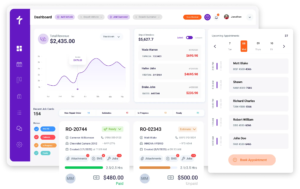
Auto repair order software helps repair shops create, manage, and track repair orders from customer approval through final invoice. Torque360 keeps customer information, vehicle records, technician activity, parts usage, and service history connected to a single repair order and links inspections, estimates, invoicing, and payments into one workflow. Trusted by 1,000+ independent repair shops across auto, truck, motorcycle, RV, and powersports.
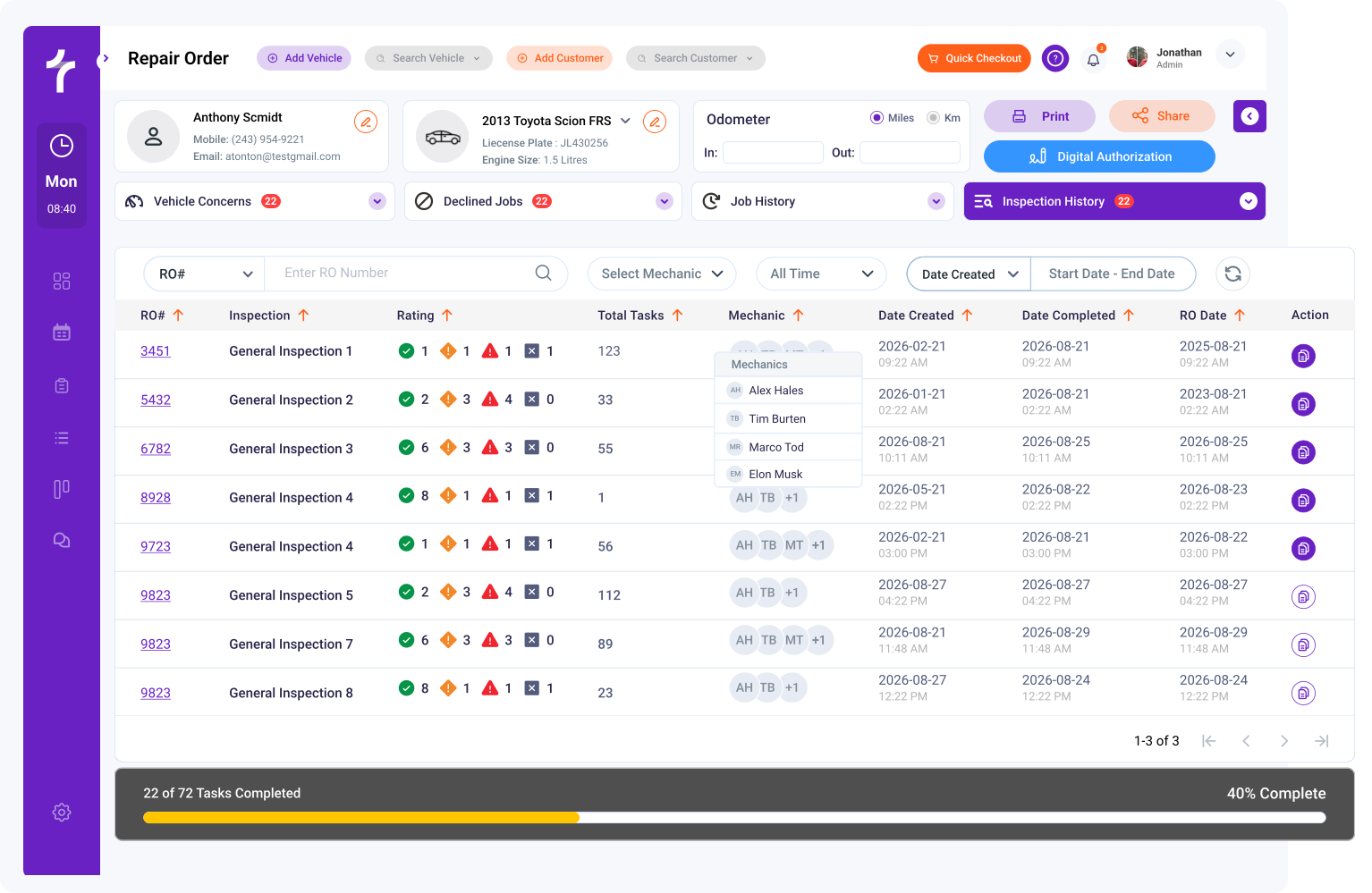
  • Create repair orders for every vehicle that enters your shop

  • Convert approved estimates into active RO’s in one click

  • Track technician activity, labor operations, and job progress

  • Turn completed ROs into invoices without rebuilding the job

  • Search RO’s by VIN, license plate, customer, or RO number

auto repair shop estimate software

How Do Repair Orders Move From Inspection to Invoice

How Does It Work?

Torque360 auto repair order software connects inspections, estimates, approvals, technician work, and invoicing inside one workflow. Every update remains attached to the repair order, giving service advisors, technicians, and shop owners access to the same repair-order information.

Inspect the Vehicle

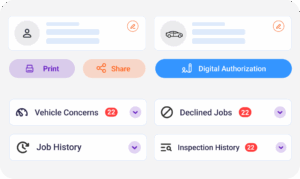
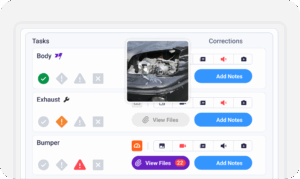
Perform a DVI, document customer concerns, add technician findings, and attach photos or videos directly to the repair order.

Build the Estimate

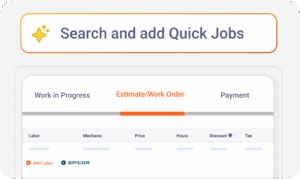
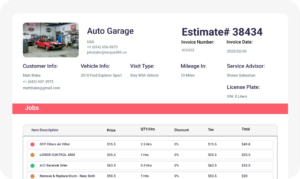
Create an estimate using labor guides, parts pricing, and inspection findings. Send it by text or email for customer approval.

Track Technician Work & Parts Usage

Assign work through the Job Board, monitor technician progress and document parts, labor, and notes inside the repair order.

Close the Repair Order Job & Generate the Invoice

Convert completed repair orders into invoices, collect payment, and maintain a complete service history for future visits.

auto repair estimate software

How Do You Create and Manage Repair Orders Faster

Creating repair orders should not require re-entering customer information, vehicle details, approvals, and service recommendations. Torque360 automotive repair order software keeps those records connected, helping service advisors create, update, and manage repair orders with fewer administrative steps.

For active repair orders, estimates are created within the repair order itself, where inspections, customer approvals, time tracking, payments, and invoicing are managed through a single connected workflow.

Customer Management tools keep contact information, vehicle history, service records, and previous repair orders attached to the customer details. Service advisors can build repair orders without searching through multiple systems.

Two-Way Texting allows service advisors to communicate with customers throughout the repair process. Estimate approvals, recommendations, and job updates remain connected to the repair order.

Every repair order can be located using the customer’s name, VIN, license plate number, vehicle record, or repair order number. Historical records remain available whenever questions arise about previous work.

How Do Repair Orders Help Technicians Stay Productive

Digital repair order software keeps technicians focused on completing repairs instead of chasing information. Job assignments, inspection findings, labor rates, and technician notes remain attached to the same repair order record.
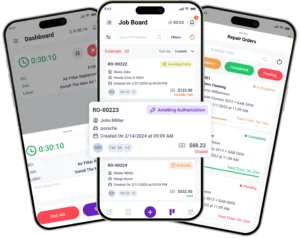
The Technician App gives technicians access to assigned repair orders, details, notes, and inspection findings from anywhere in the shop.

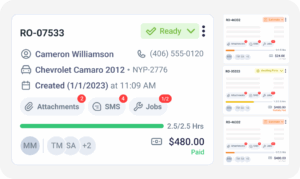
The Job Board displays active repair order, technician assignments, and repair status in real time. Shop managers can quickly see which vehicles are waiting, in progress, or completed.

Job Time Management tracks labor operations and technician productivity by repair order, so shop owners see actual labor hours against estimated hours per job.

Digital Vehicle Inspections allow technicians to document findings using photos, videos, measurements, and notes that remain attached to the repair order.

best auto repair estimate software
auto repair estimate software

How Do Repair Orders Keep Parts, Labor, and Profitability Accurate

Repair orders become more valuable when they track the true cost of every job. Torque360 automotive repair order software connects parts ordering, labor rates, and inventory directly to the repair order.

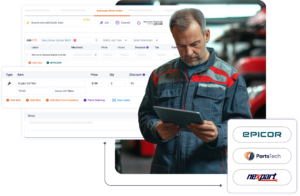
Service advisors can source parts through PartsTech, Nexpart, and Epicor integrations without leaving the repair order. Selected parts flow directly into the job with pricing and availability attached.

Inventory Management tracks parts usage as repairs are completed. Parts usage updates against inventory as jobs close, so shops don’t track parts in a separate spreadsheet.

Integrated Labor Guides help service advisors build estimates using standard labor times before work begins. Labor rates remain attached to the repair order throughout the repair process.

Profitability Reporting and Advanced Business Reporting help shop owners understand performance, parts margins, and job profitability using repair-order data.

How Do Repair Orders Connect Scheduling and Payments

A repair order management system becomes more valuable when it connects scheduling, customer communication, invoicing, payments, and reporting. Torque360 cloud-based repair order software keeps those workflows connected, reducing duplicate data entry across the shop.

Appointment Scheduling keeps appointments, customer information, and vehicle details connected before a repair order is created.

Completed ROs convert into invoices without re-entering parts or labor rates. Integrated Payments & TorquePay help shops collect payment directly from the completed job.

Appointment Reminders, Reminder Campaigns, and Two-Way Texting help shops communicate with customers before, during, and after repairs.

QuickBooks integration helps keep repair-order-related financial records organized, while Payments Reports & business reporting tools help shop owners monitor performance across the job.

best auto repair estimate software

Keep Every Repair Order Organized From Start to Finish

Independent repair shops use Torque360 to manage inspections, estimates, repair orders, technician activity, invoicing, and payments from one connected workflow. No duplicate data entry. No missing paperwork. No disconnected records.

auto repair estimating software

Why Do 1,000+ Independent Shops
Use Torque360 for Repair Orders

See why independent repair shops manage repair orders inside Torque360 instead of paper forms, spreadsheets, or disconnected systems.

Keep Every Job in One Place

Inspections, estimates, technician notes, parts, labor, invoices, & payments stay attached to a single RO. Staff no longer waste time switching between multiple systems.

Reduce Administrative Work

Approved estimates convert directly into ROs without duplicate data entry. Service advisors spend less time building jobs and more time communicating with customers.

Give Technicians the Information They Need

Technicians access assigned work, inspection findings, & job notes through the Technician App. Critical repair information stays connected to the job.

Build Searchable Vehicle History

Completed ROs become part of the vehicle’s service history. Review previous repairs, technician recommendations, & records when customers return in the future.

How Does Repair Order Software Connect
to the Rest of the Shop Workflow

Torque360 connects repair orders to every major workflow inside the shop. From appointment scheduling to final payment, every stage of the repair process stays connected to the same record.

appointment-booking-widget

Book jobs, manage calendars, and reduce no-shows.

digital vehicle inspection software

Capture photos, videos, notes, and findings.

auto repair estimating software

Build quotes with labor, parts, and pricing.

repair order software

Convert approved work into organized repair orders.

auto repair invoicing software

Generate invoices from completed labor and parts.

auto repair job board software

Track jobs, assign technicians, and monitor progress.

Which Auto Repair Shops Does Torque360’s Repair Order Software Work For

Torque360 is built to support different repair businesses in one flexible system. Whether you run a high-volume shop or specialize in niche repairs, customize workflows, estimate formats, and operations to match how your team works.

Mechanic Shop

Motorcycle Repair

Truck Repair

Oil Change

Tire Repair

Mobile Mechanics

How Independent Shops Improve Workflow
Visibility With Torque360

From handwritten repair orders to fully connected digital workflows, independent repair shops use Torque360 to organize repairs, reduce administrative work, improve technician communication, and maintain complete vehicle histories from check-in through checkout.


“Torque360 changed everything for us. On long projects, nothing gets lost anymore. Labor, parts, approvals, it’s all there. Since using it, I haven’t lost a single cent.”

— Artur Pires, Co-Owner

75%

Missed Revenue Prevented

2x

Increase in Project Visibility

“Torque360 helped us bring everything into one place. Jobs, parts, and invoices are easier to manage, and the shop runs more smoothly day to day. It gives us the structure we needed.”

— Cauy Cuthbertson, Owner 

100%

Centralized Shop Workflows

3x

Boost in Operational Efficiency

“We were doing estimates and tracking jobs manually, and it caused delays and confusion. Now with digital estimates and invoicing, everything is faster and more organized.”

— Himel, Owner

50%

Faster Estimate & Job Processing

1.2x

Higher Customer Capacity

Spend Less Time On Job Management

Torque360 Management Workflow

Inspect Vehicle

Inspect Vehicle

Use inspection templates to carry out blazing fast, detailed inspections.

Create Estimate

Create Estimate

Generate quick and accurate estimates with our trusted auto repair shop software.

Get Estimates Approved

Get Estimates Approved

Send estimates to your customers for approval using SMS or email.

View Jobs In Progress

View Jobs In Progress

View all jobs in one place on the interactive job board. Drag & drop jobs easily.

Create Superfast Invoices

Create Superfast Invoices

Create accurate invoices with a single click and share them with your customers.

Create Superfast Invoices

Collect Payment

Collect payments via card or cash with next-day deposits using Torque Payment.

Our Happy Customers

See What Others Think of Torque360!

Manage Every Repair Order From Approval to Payment

Create repair orders faster, keep technicians aligned, track parts and labor accurately, and maintain complete service history records from one platform.

  • Convert approved estimates into repair orders instantly

  • Track technician activity, parts usage, and job progress

  • Build a searchable vehicle history for every customer

  • Connect repair orders to invoicing, payments, and QuickBooks

Frequently Asked Questions

A repair order (RO) authorizes a repair order and tracks everything that happens during a service visit. It contains customer information, vehicle details, technician notes, labor rates, parts used, approvals, and repair history. In digital auto repair shop management software like Torque360, the RO becomes the central record that follows the vehicle from inspection through invoicing and payment.

The 3 C’s of a repair order are Concern, Cause, and Correction. Concern refers to the issue reported by the customer. Cause documents the technician’s diagnosis of the problem. Correction records the repair performed to resolve it. Many repair shops use the 3 C’s framework to create consistent repair documentation and maintain clear service records for future visits.

A repair order generally serves as documentation that authorizes repair work and forms part of the service agreement between the customer and the repair facility. Requirements vary by state and jurisdiction, but accurate repair-order documentation is important for approvals, dispute resolution, warranty support, and repair records.

Yes. Modern software allows customers to review estimates and approve recommended repairs through text message or email. Torque360 keeps approvals attached to the repair order so service advisors have a documented record of customer authorization throughout the repair process.

Technicians use repair order software for auto shops to review customer concerns, inspection findings, assigned labor operations, parts requirements, and service notes. Through the Technician App, they can update job status, document completed work, and add recommendations directly to the repair order while work is being performed.

Yes. Torque360 allows users to search historical repair orders using customer names, vehicle VINs, license plate numbers, repair order numbers, and vehicle records. This makes it easier to answer customer questions, review previous repairs, and access service history without searching through paper files.

The best repair order software should include estimate-to-repair-order conversion, digital approvals, technician workflow management, parts ordering, labor tracking, service history records, invoicing, payment processing, reporting, and accounting integrations. Shops evaluating mechanic shop software should also consider workflow visibility, customer communication tools, ease of use, and the ability to manage the entire repair process from one platform.

A repair order and a work order are often used interchangeably in the automotive repair industry, but they can serve slightly different purposes. A repair order typically includes customer authorization, vehicle information, approved services, labor operations, parts, technician notes, and service history. A work order usually refers to the tasks assigned to technicians to complete the repair. In modern repair order software like Torque360, both functions are managed within the same repair-order workflow.

An estimate outlines the recommended repairs and projected costs before work begins. A repair order is created after the customer approves the work and becomes the active job record used throughout the repair process. An invoice is generated when the work is completed and serves as the final bill presented to the customer. In Torque360, estimates, repair orders, and invoices remain connected throughout the workflow, reducing duplicate data entry and helping shops maintain accurate service records.

A repair order should include the customer’s information, vehicle details, VIN, mileage, customer concerns, recommended services, approved repairs, labor operations, parts used, technician notes, pricing information, and customer authorization. Modern repair order software helps service advisors create accurate repair orders by keeping customer records, vehicle history, estimates, approvals, and service documentation connected throughout the repair process.

Repair-order retention requirements vary by state, province, and business policies. Many repair facilities keep repair records for several years to support warranty claims, customer service requests, accounting requirements, and legal documentation needs. Shops should follow local regulations and consult legal or accounting professionals regarding retention requirements. Digital repair order software makes it easier to store and retrieve historical repair records when needed.