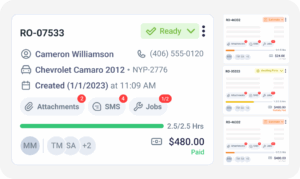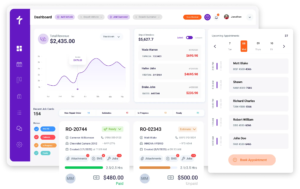
Mobile Mechanic Software

Run Your Mobile Repair Business From the Road

Mobile mechanic software is a cloud-based repair shop management software for mobile business who operate without a fixed shop location. It handles the full job lifecycle: scheduling, estimates, invoicing, payment collection, customer communication, and inventory. Torque360 is built for mobile mechanics, solo operators, and mobile teams, managing jobs, invoices, and payments entirely from a tablet. Trusted by 1,000+ repair shops across auto, truck, motorcycle, RV, and powersports.
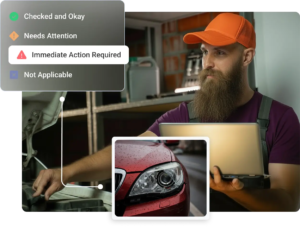
  • Appointment scheduling with live job updates

  • DVI with photos, videos, voice notes, and attachments

  • Estimates sent for approval via SMS or email

  • Convert estimates to repair orders in one click

  • Invoicing & payments via TorquePay, PayPal or card

Digital Vehicle Inspection Software
Mobile Mechanic Software

How Does It Work?

Torque360 helps mobile mechanics, from scheduling an appointment to sending the customer their invoice.
They use a tablet at the job site, no computer required.

Create an Appointment

Customers can book appointments directly through your website using the Torque360 appointment widget or add jobs manually inside the mobile auto repair software.

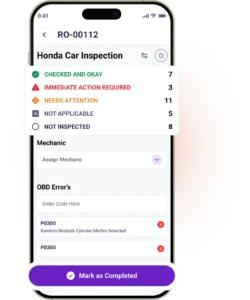
Run the Digital Vehicle Inspection

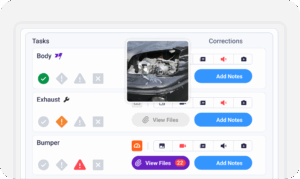
Take photos, video, or audio to document what is done. Send findings to the customer by text or email. They see exactly what needs attention before work begins.

Create an Estimate

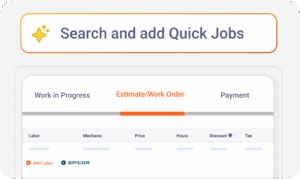
Create an estimate quickly using pre-loaded canned services and your specific parts mark-up, labor rate, and tax rates. The customer can approve the estimate with one click.

Convert to a Repair Order

The information contained in the approved estimate will automatically populate into the repair order. No need to type or copy everything manually.

Invoice and Payment

Approved estimate line items flow directly into a repair order. Customers pay via TorquePay, PayPal, Google Pay, card, cash, or check before you leave the driveway.

Reviews

Great software for those on a budget or starting out

Torque 360 is great for the basics and does everything I need. I’m a mobile mechanic and use Torque360 everyday. Also the price is very reasonable and software does what I need it to do.

Brantan J – Owner, Automotive

See Original Review
automotive digital inspection software
Integrate Your Entire Workflow
Make Everyday Operations Easy

How Does Torque360 Handle Scheduling for Mobile Mechanics

Torque360’s mobile mechanic scheduling software allows you to keep your schedule in order, whether you are operating by yourself or organizing your team into various locations.

The ability to schedule a job from your tablet, as well as update the job in real time, allows you to update your crew while on the fly. No more phone tag when it comes to rescheduling jobs.

With canned services, you will have all of the parts, labor, and fees required to complete an entire job loaded into one job template. Save your most commonly performed jobs once, so that you can use them again.

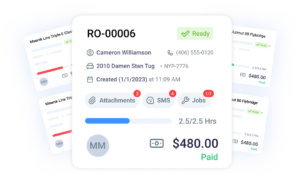
With the job board feature in Torque360, you will have access to every active job, its current status, the technician assigned, and the elapsed time spent, all from one screen.

The appointment widget is an embedded online booking system for your customers to schedule a job anytime directly from your website. Jobs flow into your Torque360 calendar automatically.

How Do Mobile Mechanics Share Inspection Findings with Customers

Torque360’s DVI lets mobile mechanics document vehicle condition on-site. They share findings with customers before work begins. Customers see photos, notes, and recommendations on their phones. They approve the scope before any parts are ordered.
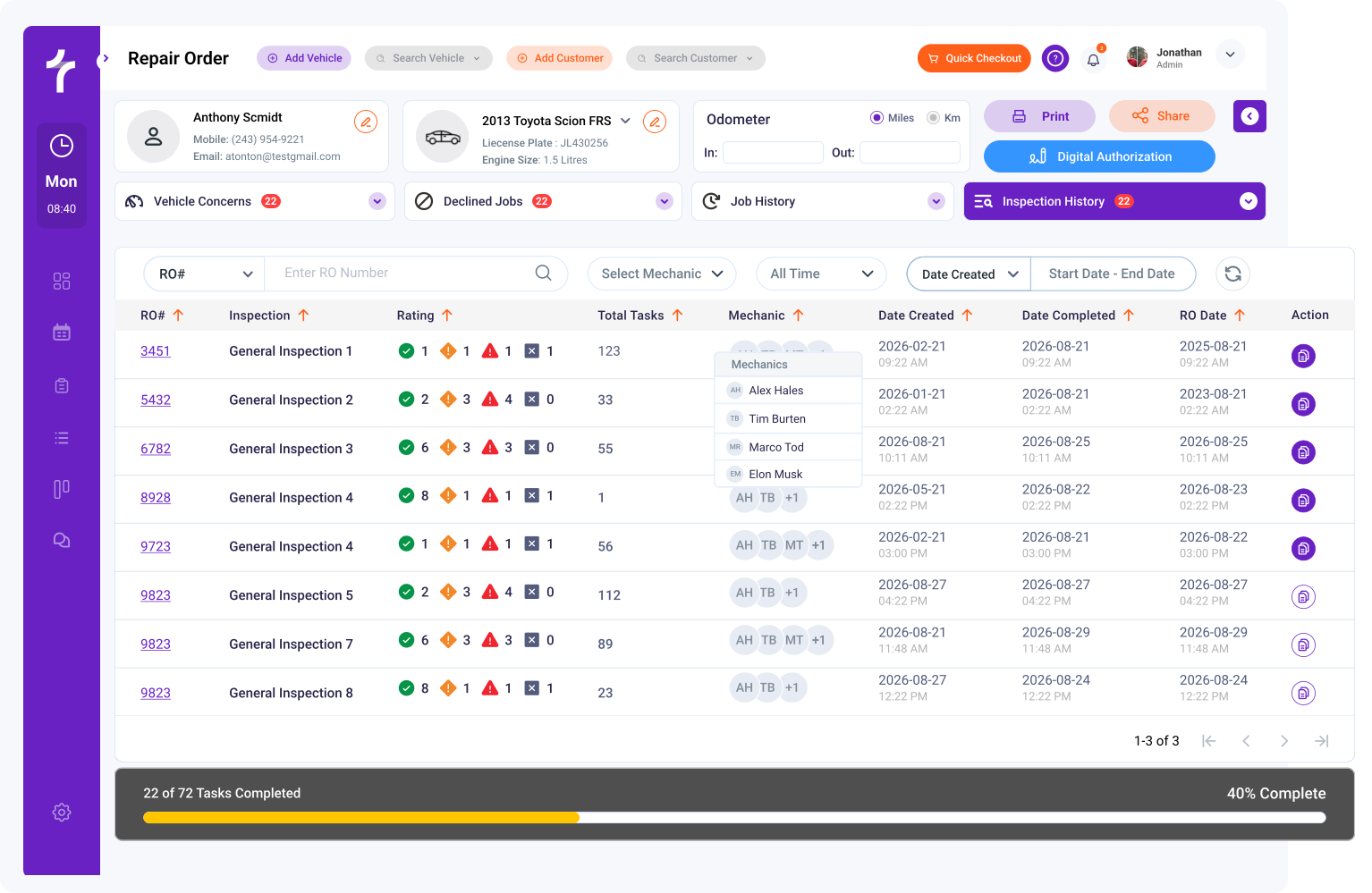
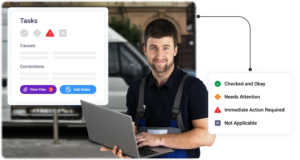
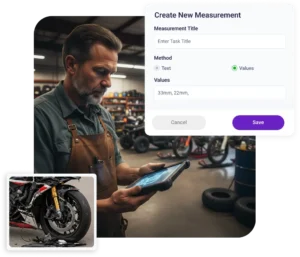
Torque360’s DVI supports photo, video, and voice note capture on any inspection item. Mark up images to draw attention to the exact issue. Customers see what you see.

Mark each item as Checked and Okay (green), Needs Attention (yellow), Immediate Action Required (red), or Not Applicable (gray). Customers understand priorities instantly.

Approved inspection findings convert directly into the repair order estimate. No re-typing, no miscommunication between what was inspected and what was quoted.

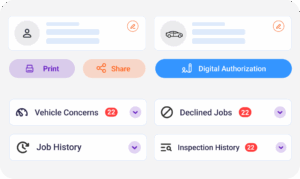
Customers open the inspection report in any browser on their phone or tablet. One-tap digital authorization moves the job forward without a phone call.

car inspection software
Mobile Mechanic Software
Shops in the Auto Repair Industry Trust Torque360. You Can Too.
automotive shop inspection software
Toque360 Mobile Mechanic Software

Best Mobile Mechanic Scheduling & Invoicing Software

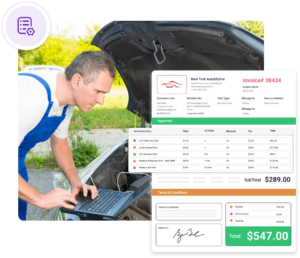
Torque360 mobile mechanic invoice software builds professional estimates and invoices from the field. No laptop, no office, no paper.

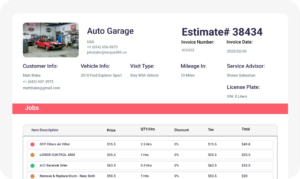
Torque360 converts approved estimates into invoices in one tap, with all parts, labor, and totals automatically. Build an estimate using canned or custom line items, and send it by text or email.

Torque360 will automatically apply the labor rate and the associated parts markup for each of your estimates using the rates you have set for each of your job categories. You no longer need to do any manual calculations.

Customers approve estimates from their phone, no app download required. The moment they approve, you receive a notification to start the job. Customer approvals are timestamped and stored on the record.

Invoices include itemized parts, labor, fees, and taxes. Send by SMS or email the moment the job is done. Customers receive a receipt instantly, and the record is saved to their profile.

How Do Mobile Mechanics Get Paid Before Leaving the Job Site

Torque360 integrates multiple payment options. Mobile mechanics can close jobs on-site without chasing customers later.
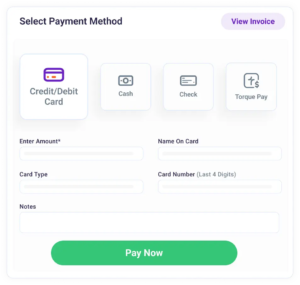

TorquePay is Torque360’s built-in payment processor. It supports in-person card payments, secure payment links by text, and a virtual terminal from any device.

Customers pay however they prefer. Torque360 supports PayPal, Google Pay, Venmo, and standard card payments through the PayPal integration.

Cash and check payments are recorded in the system. No separate spreadsheets, no end-of-week reconciling.

Every payment collected through Torque360 syncs to QuickBooks Online automatically. No manual exports, no double entry, no month-end reconciling headaches.

car inspection software
Payments and Inventory Made Simple
digital vehicle inspections
Transparent Pricing Tools

Mobile Mechanic CRM

Track customer interactions, payments, and vehicle history with Torque360’s built-in mobile mechanic CRM. Every job, vehicle, and customer interaction is stored in one place and accessible from your tablet before you reach the driveway.

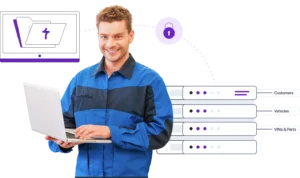
All customer data is stored in their profile. This includes contact information, vehicle details, past invoices, payments, and past repair histories. You can pull this information up on your tablet before you arrive at their home.

Torque360 sends automated service reminders when a customer’s vehicle is due for its next visit, so you bring customers back without a manual follow-up call. Reminder campaigns help mobile mechanics build a recurring book of business.

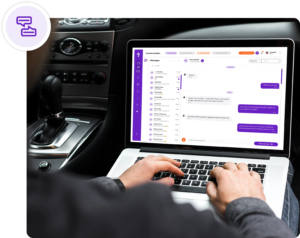
Torque360 includes two-way texting communication via Twilio, built directly into the dashboard. Send updates, answer questions, and confirm job details without switching software.

When a customer doesn’t approve a recommendation on the first visit, Torque360 saves it to their profile. Follow up at the next service, on a reminder, or in a campaign. Declined work today becomes future revenue.

Real-Time Inventory, No Surprises Mid-Job

Torque360 includes real-time inventory tracking and integrated parts ordering. Mobile mechanics can monitor stock levels and reorder parts without leaving the platform.

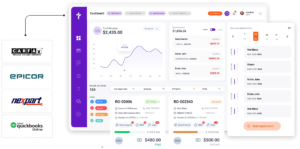
The Nexpart integration connects Torque360 to a multi-seller parts network. Live pricing and availability are visible before you add a part to an estimate. Search, compare, and order without browser switching.

PartsTech lets you search multiple suppliers simultaneously and compare pricing. You can check availability before choosing, all without leaving Torque360. Use “Submit Quote” to add parts to an estimate or “Buy Now” when ready to order.

Epicor by Mitchell 1 provides industry-standard labor times & parts catalog data inside Torque360. Parts ordering and labor estimates stay in the same workflow.

Generate purchase orders directly inside Torque360. Keep parts ordering connected to the same workflow as estimates, repair orders, and inventory tracking.

car inspection software
Strengthen Customer Relationships
digital vehicle inspections
Mobile Mechanic Software

Real-Time Reporting for Mobile Mechanics

Torque360 includes built-in reporting across revenue, payments, technician performance, and sales tax. Mobile mechanics can see exactly where their business stands without waiting until month-end or opening a separate tool.

Torque360’s All Order Report helps mobile mechanics track repair orders across every workflow stage, including inspections, estimates, in progress, awaiting parts, and completed jobs. Monitor turnaround time, payment status, and job activity from one reporting dashboard.

Every payment collected through TorquePay, PayPal, cash, or check is logged and organized into a payments report automatically. The receivable accounts view shows outstanding balances, so you know exactly what has been paid and what is still open before your next job.

Torque360 generates a structured sales tax report that shows taxable sales, non-taxable sales, and total tax collected by invoice. Each line follows a consistent format for accurate reconciliation and audit-ready compliance at month-end or tax time.

Track hours worked, revenue generated, and job completion rates per technician across your team. The employee timesheet and job time management tools show you who your top performers are and where time is being lost on the schedule.

Easy Data Migration & Onboarding

Torque360’s onboarding team helps transfer supported customer profiles, vehicle history/vehicle records, parts & supplies/inventory data from compatible shop management systems before you go live.

  • Share your exported shop data

  • Torque360 imports supported records

  • Review migrated data before launch

  • Start using Torque360 with onboarding support

Supported data migration depends on source system compatibility and data structure. Some fields or formatting may vary after transfer.
car inspection software
Payments and Inventory Made Simple

Everything Your Mobile Repair Business Needs in One Platform

Stop managing your mobile auto repair business through text messages and spreadsheets. Torque360 mobile mechanic software helps field technicians document every job, collect every payment, and build a professional business from the road.

digital vehicle inspection software
Mobile Mechanic Software

Why 1,000+ Shops Choose Torque360

More than 1,000 repair businesses use Torque360 to get paid faster, reduce admin work, and
run a more professional operation from the road. Here is what they found.

Get paid at the job site

Send payment links by text the moment the invoice is done. Customers pay before you leave. No unpaid invoices sitting open.

Looks professional from day one

Branded estimates, invoices, and digital inspection reports show customers they’re working with a serious business.

Reduce missed appointments

Automated reminders are sent to customers before each appointment. There are fewer no-shows and less wasted driving as a result.

Replace 4 apps with 1

Torque360 replaces separate scheduling, invoicing, payment, and CRM tools. One platform, one monthly cost, one login.

Manage a team or go solo

Torque360 works for solo operators & multi-tech teams on the same platform. Add technicians, & track progress as you grow.

Everything Your Mobile Mechanic Business Needs
in One System

Mobile mechanic software is a part of a full shop management platform. Scheduling, estimates, repair orders, invoicing, and payments share one database.

appointment-booking-widget

Book jobs, manage the calendar, reduce no-shows, and stay organized

digital vehicle inspection software

The full DVI workflow with photo, video, voice, and measurements

auto repair estimating software

Build quotes from inspection findings with labor, parts, and pricing

repair order software

Convert approved estimates into organized repair orders with job tracking

auto repair invoicing software

Generate invoices and accept TorquePay, PayPal, Google Pay

auto repair job board software

Track jobs, assign technicians, and monitor status in real time

See What Others Repair Shops Think About Torque360

Get More Done on Every Job with Mobile Mechanic Software

Standardize your workflow, build customer trust, and collect payment before you leave the driveway, all on one connected platform.

  • Replace scattered apps with a single platform for every job

  • Send professional estimates and invoices directly from your tablet

  • Collect payment on-site via text-to-pay before you drive away

Frequently Asked Questions

Mobile mechanic software is a cloud-based platform. It helps auto repair technicians manage scheduling, estimates, invoicing, payments, customer management, parts ordering, and reporting without a fixed shop location. For a solo or mobile team, Torque360 software for mobile mechanics handles multiple service stops daily.

The best mobile mechanic software manages the full workflow from booking to payment without relying on a desktop setup. Torque360 is designed for mobile mechanics who need everything in one platform. It supports solo operators and multi-tech teams.

Torque360 is accessible from any tablet or laptop, with no software installation required. Scheduling, repair orders, estimates, invoices, inventory, and payments are all available remotely. The Technician Portal allows techs to clock in, log hours, and track job status. Customers can view inspection reports and payment links directly through a browser.

Yes. Torque360 software for mobile technicians allows field technicians to build estimates on-site using canned services. They can apply automatic parts markup and labor rates. They can get customer approval by text or email and convert approved estimates into invoices instantly. Payments can be collected immediately through TorquePay, PayPal, Google Pay, or a card before leaving the job site.

Torque360 is available directly at torque360.co as a cloud-based subscription starting at $99.99/month. No installation is required, and all features are accessible through a browser-enabled device. One-on-one onboarding support is included to help set up your account and workflow.

Torque360 supports TorquePay for in-person card payments. It also includes virtual terminal transactions and secure payment links sent by text. Torque360 also supports PayPal, including Google Pay, Venmo, card, cash & checks. All payment methods are logged automatically & synced with QuickBooks for financial tracking & reporting.

Yes. Torque360 integrates with QuickBooks Online. It automatically syncs invoices, payments, taxes, and financial data without manual exports. Mobile mechanics can quickly generate sales reports and export financial records at month-end. It makes bookkeeping, reconciliation, and tax preparation more efficient and accurate.

Torque360 integrates with QuickBooks Online, TorquePay, PayPal, Nexpart, PartsTech, Epicor by Mitchell 1, CARFAX, NHTSA, Twilio, and Brevo. These integrations support accounting sync, remote payments, parts ordering, labor guides, VIN lookups, SMS communication, and customer email communication. Nexpart and TorquePay integrations are available on Turbo and Supercharged plans.

Yes. Torque360 mobile technician software includes a job board. It allows owners and managers to assign jobs, track technician status in real time, and monitor labor hours across the team. The Technician Portal lets technicians clock in and log time. Multi-user access is available across plans to support growing mobile operations.

Adoption depends on how few steps each job takes. Torque360 uses minimum step processes with canned services to allow technicians to get job detail information instantly. Most technicians are able to learn how to use the system within a few days of starting. Several one-on-one onboarding sessions are included in every subscription option.

Yes. When one-person operators are performing a frequent number of weekly repair jobs, they save more time on doing invoices, collecting payment, scheduling, and following up with customers than what the subscription costs. Moreover, Torque360 replaces multiple tools they currently use for scheduling, invoicing, payment, and tracking in a spreadsheet. Torque360 is one integrated solution for only $99.99/month.

Torque360 comes equipped with a mobile mechanic shop CRM that allows you to keep track of customer & vehicle information. It includes repair history, invoices, payments, and service notes, all in one location. Before an appointment, mobile mechanics can see a complete history of any vehicle, so they can see what has already been done. They can send reminders via text or email for upcoming services automatically. They can also follow up on previously declined work without having to use a separate CRM or pay for a separate subscription.

Yes. Torque360 mobile RV repair software & mobile truck repair software support multi-line repair orders, high-ticket estimates, variable labor rates, and digital vehicle inspections for complex systems. Customers can approve estimates remotely through text or email. They can pay securely before the technician leaves. RV- and truck-specific canned services can be saved & reused for recurring repair workflows.

Yes. Torque360 mobile auto oil change software supports mobile oil change businesses. It provides quick single-service repair orders and canned services for different oil types and pricing tiers. Automatic tax and markup calculations and on-site payment collection are also offered. Operators can also send automated service reminders, helping improve repeat business.