Auto Repair Shop CRM Software

Know Every Customer, Every Car, and Every Visit

Lose track of a customer for one service interval, and the dealer’s reminder fills the gap. Auto repair shop CRM software turns every service visit into a long-term customer relationship by putting follow-ups, service reminders, job updates, and personalized outreach in one dashboard. Torque360 Customer Management is the auto repair CRM built into the same system your advisors use to write estimates and repair orders, so every message draws on the customer’s vehicle, service history, and previous ROs. Trusted by 1,000+ independent repair shops across auto, truck, motorcycle, RV, and powersports.

  • Follow-ups and service reminders after every visit

  • Texts and emails sent from the shop software

  • Digital estimate approvals with e-signatures

  • Technicians notified the moment work is approved

  • Every vehicle, visit, and RO on one customer record

automotive CRM solution

How It Works?

How Does Auto Repair Shop CRM Software
Work Day to Day?

A CRM nobody updates is worse than no CRM at all. It hands your advisor a wrong phone number with total confidence. So Torque360 doesn’t ask anyone to update it: the customer record builds from the estimates, repair orders, and approvals your counter already handles.

Add the Customer Once

Create the customer when they call, book, or pull into the lot, or right from a new repair order. Name, phone, and email go in one time, and every estimate, RO, and message after that hangs off the same record.

Attach the Vehicle

Enter the VIN or the plate & state, and CARFAX identifies the vehicle and saves it to the customer’s vehicle profile. Year, make, model, and engine never get retyped on visit two.

Write the Work Against the Record

Estimates, inspections, and repair orders open from that customer and vehicle. Close the RO, and it lands in the vehicle’s service history. Nobody files anything.

Collect Approval in Writing

Send the estimate, and the customer signs from a phone or computer before a wrench turns.

Follow Up From the Same Record

Message the customer from the record after the visit, or hand the timing to Reminder Campaigns.

Integrate Your Entire Workflow

What Is an Auto Repair CRM?

An auto repair CRM, also called CRM for auto repair shops, is customer relationship management software built for repair shops: one record per customer that holds contact details, the vehicle, its service history, previous repair orders, and messages sent, used to follow up after each visit and bring the car back for the next one. So when shop owners ask what CRM is in automotive repair, the short answer is the customer’s history, tied to the car, used to bring both back.

Buy a general sales CRM, and you’ll spend the first week hiding fields. None of them matter to a shop that earns its money when the same Silverado rolls back in every oil change. Worse, there’s no field for a VIN, a repair order, or a labor line, so advisors end up typing service history into a notes box nobody searches. Automotive repair CRM software starts from the vehicle instead.

No. Search for automotive CRM software, and most results are dealership tools. An automotive dealership CRM is built to sell vehicles. An independent shop has the opposite job: keeping a car coming back for service. Torque360 is built for independent repair shops and includes none of the dealership sales tools.

Only if your shop software keeps customers somewhere else. That’s the Two-List Problem, and it bites quietly: a car repair CRM beside shop software holds a second customer list, and the two drift apart. In Torque360, Customer Management is part of the shop management system. 

Auto Repair Shop CRM Software

What Does Auto Repair Customer Management Software Track?

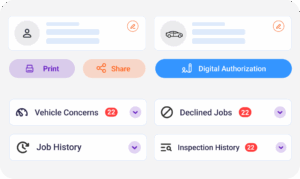
A front desk, a technician, and a manager working from different notes give the customer three different answers. Torque360 puts all three on the same customer record, from check-in to pickup. The real test is the call nobody prepared for: “You did my brakes last spring. Are they still covered?” Without a real customer database for an auto repair shop, that answer lives in a filing cabinet or the memory of an advisor who left in June. With Torque360 Customer Management, it’s answered from one screen while the customer is still on the line.

A wrong digit in a phone number doesn’t throw an error. It quietly sends every approval request and pickup text into the void. Name, phone, and email sit at the top of the customer record and feed every estimate, invoice, and message, so a number fixed once is fixed everywhere. Confirm it at every visit: customers change numbers more often than they change shops.

Yes, and guessing from the oil sticker on the windshield is how shops sell a service the customer had six weeks ago. Customer Management works as vehicle service history software inside the customer record, showing what was done to the vehicle, when, and on which repair order. That history is your own work, written by your ROs. Reported history from other shops comes through a separate CARFAX lookup.

Yes, and this is the record that pays for itself in a warranty dispute. Previous ROs stay attached to the customer, so a job from eighteen months ago opens from the same screen as today’s estimate. When a customer insists the alternator you replaced in March is the one failing now, you’re arguing from the repair order, not from memory.

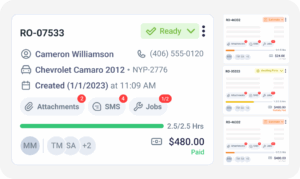
The customer texts on Tuesday, a different advisor picks up on Wednesday, and nobody knows what was promised. Torque360 keeps customer communication, job details, and service records together in the CRM dashboard, so whoever picks up the thread sees the whole conversation. 

How Do You Keep Customers Coming Back to Your Auto Shop?

Most good customers aren’t lost to a bad repair. They’re lost to silence. Auto repair customer retention is mostly a follow-up problem. Good work earns the second visit; staying in touch earns the tenth. Track your auto repair customer retention rate, and the leak usually shows up between visits, not in the bay. 
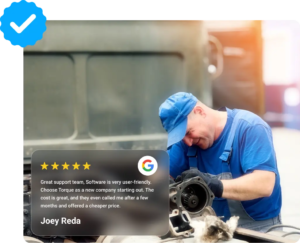
Skip the post-visit check-in, and the first person to hear about a problem is a stranger reading your Google profile. Auto repair customer follow-up starts with a short message a few days after the visit, asking whether the repair is holding. Most shops mean to send it. Few still do by the second busy week. Set it up once as a Reminder Campaign, and it goes out on the slow day, and the slammed one alike.

A shop that can’t answer “Who’s overdue?” ends up running a discount to fill a slow week and pays for it in margin. Every customer has a last visit date, set by the day their most recent repair order was created. Reminder Campaigns count a fixed interval from that date and send the reminder for you. When a holiday or a dead week does call for an offer, send it to the customers you pick, not the whole list.

Send “Dear valued customer” to the whole list, and you train people to ignore you. Personalized customer outreach depends on the record behind it. Because the record holds the name, the vehicle, and the last visit, the advisor can write “Hi Dana, the Tacoma’s due” instead of something that reads like spam. Keep it to one vehicle, one reason, and one ask.

Plenty of customers go back to the dealer “to keep the warranty safe.” They don’t have to. Under the Magnuson-Moss Warranty Act, a manufacturer or dealer can’t deny warranty coverage simply because someone other than the dealer did the maintenance, unless that work caused the failure. The FTC tells owners to keep every service record and receipt as proof. Your service history is that proof, so tell customers at pickup and offer them the record.

CRM automotive software

How Does the CRM Keep Customers Informed During a Repair?

A car sitting on a lift waiting for a callback earns nothing. A good share of the relationship is built right there, before anyone says yes. Torque360 runs approvals and updates off the same record, so the customer, the advisor, and the technician see the same thing.

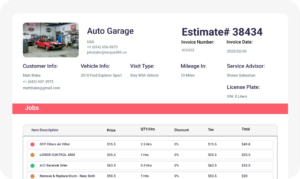
Yes, and a phone approval is the weakest record in the building. California’s Automotive Repair Act, for one, requires a signed estimate or work order before work starts, and when added work is approved by phone, the estimate must note the date, time, name, and phone number of whoever said yes. In Torque360, customers sign and approve estimates digitally from a phone or computer, and the e-signature stays with the job. Beats a sticky note reading “OK per Mike, 2:15.”

Without a signal, a technician either walks to the counter to ask or starts on a hunch. Neither is good. Technicians are notified when the customer approves the estimate, so the car moves from waiting to working without a relay through the service advisor. Fewer trips to the front, and no job started before anyone said yes.

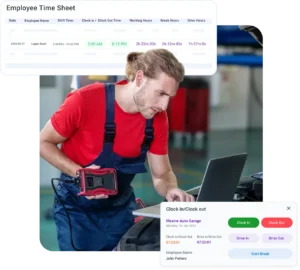
The customer who hears nothing calls. Three times. Advisors text or email from Torque360 without switching apps: the approval request, the parts delay, and the pickup notice, on whichever channel the customer prefers. One-way texting and unlimited email come with Starter. Replies need Two-Way Texting. Once a repair order is fully paid, the invoice can also go out automatically by email, SMS, or both.

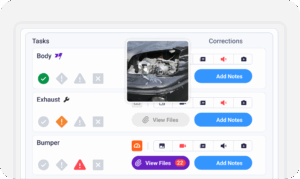
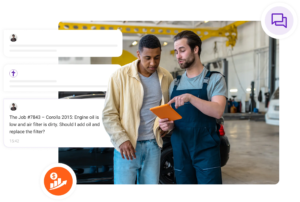
A customer who can’t see the problem hears an upsell. Photos, videos, and technician notes from a digital vehicle inspection can be shared with the customer, so the weeping water pump is on their screen, not just in your words. Shoot with something for scale. A thumb next to a worn pad ends the argument.

How Does an Auto Repair CRM Compare to Reminders and Texting?

Pick a plan without knowing this, and you’ll go hunting for a feature that isn’t there. Torque360 splits customer communication across four features that share one customer record, and they don’t all sit on the same plan.
Customer Management is the record itself: who the customer is, what they drive, every job the shop has done for them, and what they signed. Reminders, texting, and review requests all read from it. It comes with every plan, starting with Starter.

Reminder Campaigns are the automatic side: they send auto repair service reminders on a schedule you choose and keep going on your best advisor’s day off. Marketing and service reminders come with Turbo.

Two-Way Texting is Torque360’s auto repair text messaging software. A customer replies, “Go ahead,” and the advisor answers from Torque360 instead of a personal cell. That matters more than it sounds: texts on an advisor’s own phone leave when the advisor does. 

Auto repair review management in Torque360 asks customers for a Google or Yelp review once the work is done. Ask everyone, not just the ones who smiled at pickup. Google treats selectively asking happy customers as review gating and prohibits it. 

Auto Repair Shop CRM Communication Software

Customer Management Comes With Starter

Customer records, service history, and digital approvals with e-signatures are part of the entry plan, not an upsell. You start day one with every customer and every RO in one place. Add Turbo when you want reminders and two-way conversations running off that record, without moving a single customer.
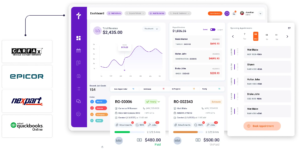
Built to Power Entire Auto Shop Operation

Why Choose?

Why Do 1,000+ Repair Shops Trust Torque360
to Stay Connected With Customers?

What changes at the counter once customer communication runs through Torque360’s auto repair shop CRM software.

Less time on repeat messages

Nobody retypes the same pickup text every afternoon or flips between apps to send it.

Always professional

Templates keep every message in the shop’s voice, whoever is on the counter.

Trust built on updates

Quick updates show customers you respect their time and their car, and that earns the next visit.

Regular visits that add up

Oil changes and inspections are a shop’s steadiest work. Timely reminders keep them on the calendar.

How Does Customer Management
Connect to the Rest of the Shop?

Every module below either writes to the customer record or reads from it.
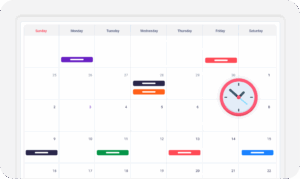
appointment-booking-widget

Book jobs, manage calendars, and reduce no-shows.

digital vehicle inspection software

Capture photos and videos. Add notes and findings.

auto repair estimating software

Build accurate estimates with labor, parts, and pricing.

repair order software

Convert approved work into organized repair orders.

auto repair invoicing software

Generate invoices from completed labor and parts.

auto repair job board software

Track jobs, assign technicians, and monitor progress.

Which Repair Shops Use Torque360 Customer Management?

A mechanic shop CRM has to fit how often the same vehicle comes back. A quick lube sees the same car every few months. An RV shop sees it before and after the season, then not at all. A motorcycle shop hears from most riders when the weather turns. Same Torque360 platform, same customer record, different rhythm.

Mechanic Shop

Motorcycle Repair

Truck Repair

Oil Change

Tire Repair

Mobile Mechanics

In Their Own Words

How Repair Shops Speed Up Checkout With Torque360

Tire & Wheel Xperts, a high-volume tire and wheel shop with four technicians and one service writer, left software that was slow to respond and now runs estimates, jobs, and sales in Torque360. The owner puts each invoice at about one to two minutes.
Clinton, Owner at Exclusive Detail Duluth
Exclusive Detail Duluth

"Before Torque360, we used a different platform, and that platform didn’t allow us to do any of the stuff that we needed to do. And their customer service was not very good at all"

View Story
9/10
Likelihood to Recommend
100%
Invoices Auto-Synced to QuickBooks
Andres, Owner at Moto Pops
MOTOPOPS

"Being able to send estimates directly to customers and receive instant approvals on their phones has dramatically sped up our repair process and improved communication."

View Story
3
Manual Processes Replaced
50%
Faster Estimate Approvals
Artur Pires, Owner at Mapgreen Motorsports
Mapgreen Motorsports

"Torque360 changed everything for us. On long projects, nothing gets lost anymore. Labor, parts, approvals, it’s all there. Since using it, I haven’t lost a single cent."

View Story
75%
Missed Revenue Prevented
2x
Increase in Project Visibility
Cauy Cuthbertson, Owner at Charles Garnett
Charles Garnett

“Torque360 has everything I was looking for. From scheduling and tracking jobs to QuickBooks Online integration and Torque Pay, it helps me stay organized.”

View Story

8+ Hrs
Saved on Daily Operations
100%
Same-Day Invoicing with TorquePay
Himel, Owner at Halal Auto Care
Halal Auto Care

"We were doing estimates and tracking jobs manually, and it caused delays and confusion. Now with digital estimates and invoicing, everything is faster and more organized."

View Story
50%
Faster Estimate & Job Processing
1.2x
Higher Customer Capacity
Shop owner video testimonial
Tire & Wheel Xperts

“Torque360 makes everything easy, efficient, and professional. Each invoice only takes about one to two minutes now. I recommend it 100%.”

View Story
1-2 min
Invoice Creation Time
95%
Automated Inventory Sync
Shop owner video testimonial
Cauy Cuthbertson

"Torque360 helped us bring everything into one place. Jobs, parts, and invoices are easier to manage, and the shop runs more smoothly day to day. It gives us the structure we needed."

View Story
100%
Centralized Shop Workflows
2x
Boost in Operational Efficiency

Real Customers Have Spoken About Torque360 CRM

Bring Your Customer List With You

Years of customers are sitting in your old system, and retyping them by hand is how phone numbers get lost. You don’t do the moving. Torque360’s migration team does, and your shop keeps running on the old system until the data is validated. Most migrations finish in 3 to 7 business days.

  • No downtime: go live only after you review your data

  • Customized onboarding and training on Turbo and Supercharged

  • Reviewed by shop owners on G2, Capterra, and Trustpilot

Frequently Asked Questions

If you can’t name the customers who are overdue for service right now, yes. An auto repair CRM turns the history you already create on every repair order into follow-ups and repeat visits. The auto repair shop CRM software in Torque360 starts the record at your first repair order, so you don’t need a customer list to begin.

The one that answers counter questions fastest from records your shop already creates. Run the 30-Second Counter Test in any demo: pick a customer and time how long it takes to see their vehicle, their last repair and its date, what they signed, and when the shop last contacted them. If any answer needs a second login or a callback, that CRM won’t hold the relationship.

In Torque360, nothing on top of your plan. Customer Management is included from Starter at $99.99 a month. Reminders, two-way texting, centralized customer communication, and review management come with Turbo at $199.99 a month. Annual billing takes 10% off both.

Yes. Torque360’s migration team moves your customers, their vehicles and VINs, and your parts list, then has you check everything in a staged copy before go-live. Past repair orders and service history aren’t part of the standard migration, so ask in the demo what your old system’s history can bring across.

For anything promotional, yes, and keep proof. Marketing texts fall under the TCPA in the US and CASL in Canada, and carriers expect documented opt-in before they go out. Business texting numbers also have to be registered for A2P 10DLC through your messaging provider before carriers deliver them reliably. Record how and when each customer agreed, and honor every STOP reply.

Yes, and arguably more so. A one-bay shop can’t afford to forget the customer who was due in March. Starter includes five co-users, enough for an owner and a small counter, and Turbo removes the limit when the team grows.