Digital Vehicle Inspection Software

Get 2x More Repair Approvals From Every Inspection

Torque360 replaces paper checklists with structured digital vehicle inspection software. Photos, videos, voice notes, measurements, and findings that customers see on their phones and approve with one tap. Trusted by 1,000+ repair shops across auto, truck, motorcycle, & RV.
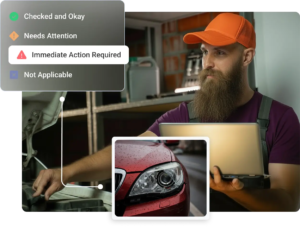
  • Custom inspection templates for every service type
  • Photos, videos, voice notes, and document attachments
  • Color-coded inspection indicators that customers understand
  • Findings mapped directly to corrections and canned jobs
  • Inspections built into your repair order, no duplicate entry

Digital Vehicle Inspection Software

Advanced Digital Inspections for Auto Repair Shops

How Does It Work?

Choose a Template

Pull from saved multi-point inspection (MPI) templates built for the service, like a full courtesy inspection or any custom template.

Complete Inspection Tasks

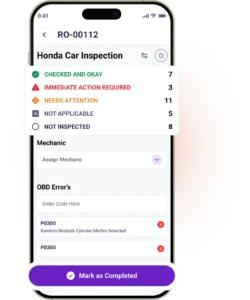
Techs work through structured task groups with mandatory vehicle health check, color-coded inspection statuses, and measurement fields.

Capture Proof

Add photos, videos, voice notes, or documents. Configure required media as mandatory so that nothing critical goes undocumented.

Recommend Repairs

Every issue connects to a defined concern, cause, and correction, and the correction maps to a canned job with preset labor and pricing.

Convert to Repair Order

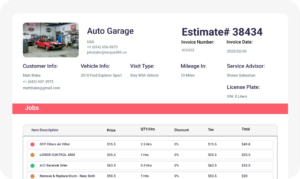
Approved inspection findings flow directly into the estimate and repair order, without manual re-typing.

Reviews

Efficient Workflow with Seamless Digital Authorization & Excellent Support

“My overall experience with Torque360 has been very positive. The inspections feature makes it easy to document vehicle conditions in a clear and professional way. The digital authorization process is smooth and efficient, allowing me to send work orders and receive approvals from customers without delays. On top of that, the customer support team is responsive and helpful, ensuring any questions or concerns are handled quickly. Overall, it’s a reliable system that simplifies daily operations.”

Byron C. – Owner, Automotive

See Original Review
automotive digital inspection software
Integrate Your Entire Workflow

MPI Templates That Fit Your Services

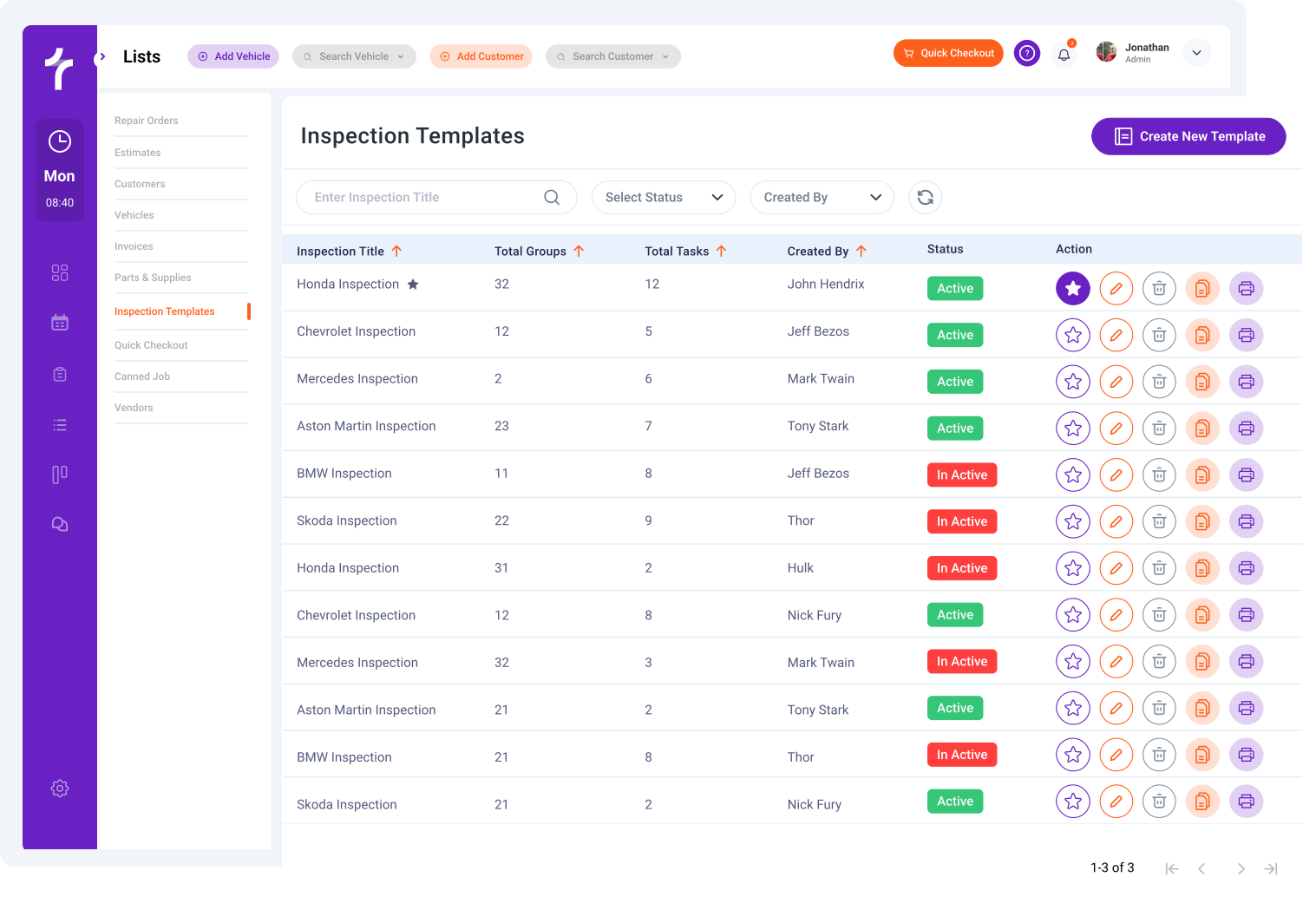
Build reusable templates with multi-point inspection software (MPI software) for any service type. Group tasks by vehicle system. Standardize causes and corrections so every inspection looks the same regardless of which tech runs it.

Technicians mark each task with a clear status: Checked and Okay (green), Needs Attention (yellow), Immediate Action Required (red), or Not Applicable (gray). Customers grasp priority instantly. Service advisors get a faster path from inspection to approval.

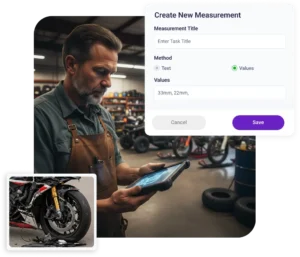
Capture tread depth measurement, brake pad thickness, battery voltage, fluid levels, and any other measurable data point. Structured input fields ensure technicians enter values consistently, with no ambiguity over what “low” or “worn” means.

Mark critical inspection items as required. Technicians cannot mark an inspection complete until those items have a status, a measurement, or attached media. This is how shops stop missing the brake check on rushed jobs.

Attach photos, videos, voice notes, and documents to any task. Technicians can mark up images with arrows and notes to draw customer attention to the exact issue, a worn brake pad, corrosion, a leaking gasket, or low tread.

Structured Inspections That Save Time

Standardize inspections with reusable templates, grouped tasks, and consistent workflows across your team. Torque360 auto repair inspection software helps repair shops create clearer findings, improve technician handoffs, recover declined work, and keep every inspection connected to the repair process.
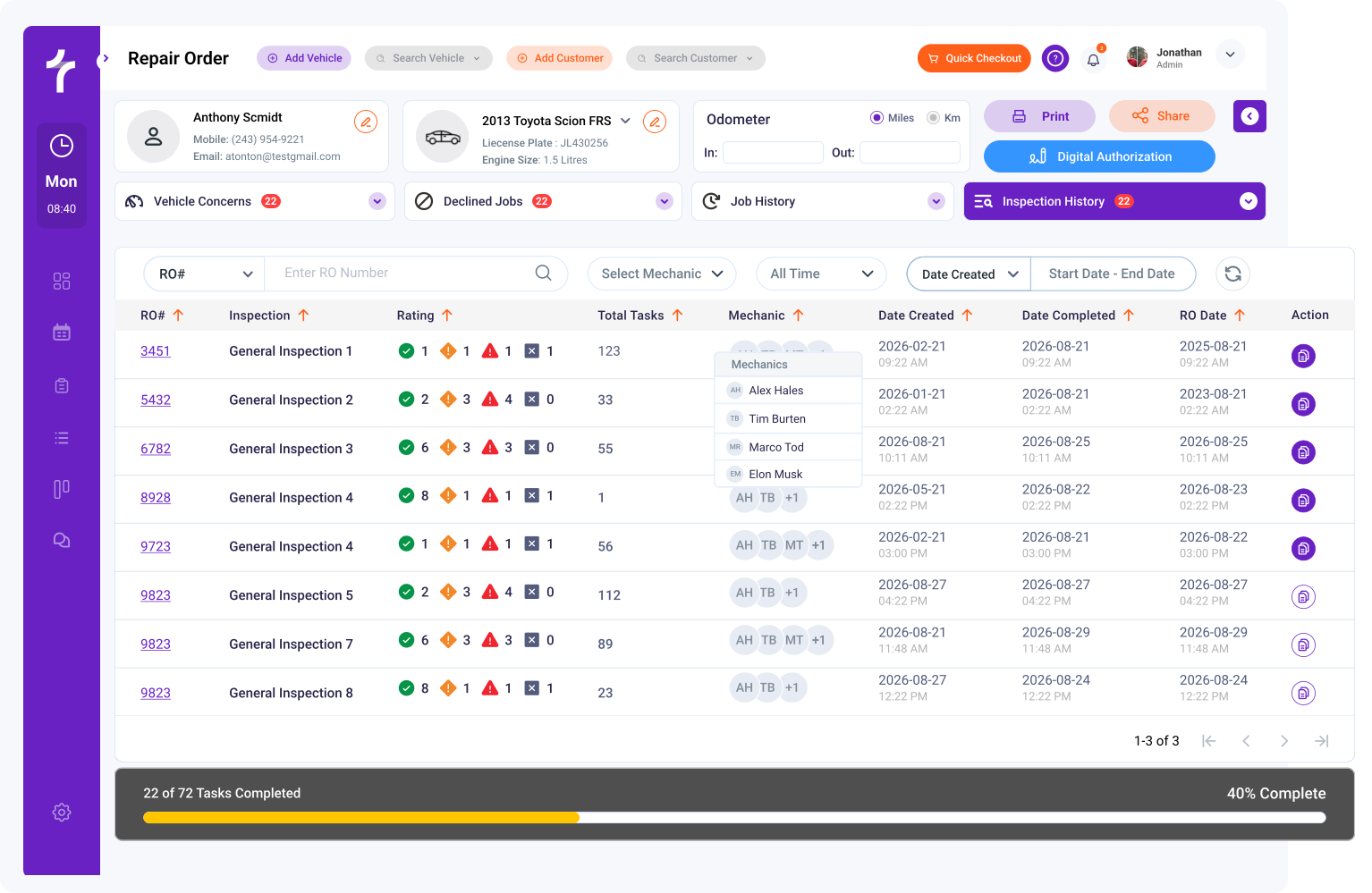

Every finding follows the same diagnostic logic: what’s wrong, why it’s happening, and what we recommend doing about it. Customers get a clear story. Advisors get a clean estimate. Techs get an obvious handoff.

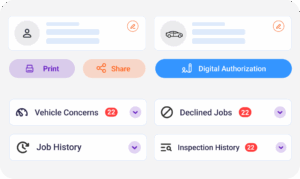
Customers don’t always approve everything in one visit. Torque360 saves declined jobs to the customer profile so service advisors can follow up at the next visit, on a service reminder, or in a campaign. Declined work today becomes approved revenue six months from now.

Inspection findings connect directly to recommended repairs and mapped jobs, making estimates faster to build, easier to explain, and more consistent across every advisor.

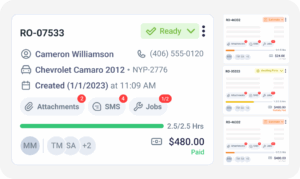
Launch DVIs directly from the repair order screen. Assign a technician, track time, monitor completion status, and move approved findings into the estimate, all without switching tabs or duplicating data.

car inspection software
Shops in the Auto Repair Industry Trust Torque360. You Can Too.
automotive shop inspection software

What Customers See On Their Phone

When the inspection is done, the customer gets a text or email with a link. They open it on their phone, with no app required, and review findings clearly with photos, notes, and pricing.

Customers receive a clean, branded report with their vehicle’s findings in one place. Organized digital reports make recommendations easier to review and understand.

Photos and videos of the actual issues with annotation help show the problem clearly. Technician notes explain what was found and why it matters.

Color-coded inspection urgency (green/yellow/red) helps customers understand what is critical and what can wait. Clear priorities reduce confusion and speed decisions.

Customers approve the work they want directly from their phone with one tap. Faster approvals help shops move jobs forward without delays.

Built for Service Advisors Who Are Tired of Phone Tag

Service advisors are the daily heaviest users of DVI software, and they need it to make their job easier, not add another screen. Torque360 helps advisors communicate faster, follow up better, and build estimates with less effort.
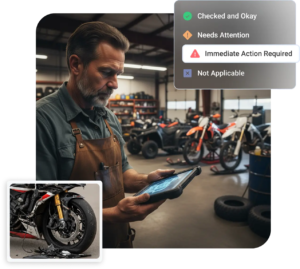
Send inspection reports by text in two taps. Customers review findings on their phone and approve work when they have a free minute.

No more “let me call you back.” Customers approve when convenient instead of waiting for another phone conversation.

Declined jobs are saved to the customer profile for the next visit, reminder, or campaign. Missed approvals today can become future revenue.

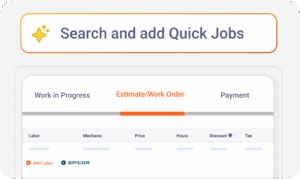
Estimates build themselves from approved findings, with parts and labor pulled from Epicor and PartsTech. Advisors quote faster with less manual entry.

vehicle inspection software
digital vehicle inspections

Built for Technicians Who Hate Software

Most DVI rollouts fail at the technician level, not the management level. If software adds taps to a tech’s day, they go around it. Torque360 uses a guided inspection workflow built for speed and adoption.

Technicians can use voice notes when typing slows things down. Faster inputs help inspections move without interrupting workflow.

Capture photos and videos from the same screen during the inspection. Technicians document issues quickly without switching tools.

Mandatory fields guide technicians through required steps without unnecessary hassle. Critical checks get completed more consistently.

Torque360 works on any tablet the shop already owns. Most shops see full technician adoption within two to four weeks of rollout.

Increase Approved Repairs by 25% with Digital Inspections

Make inspections easier for your team and clearer for your customers. Torque360 digital vehicle inspection software helps technicians document vehicle conditions with photos, videos, and structured checklists so customers understand recommended repairs with confidence. Share results quickly, build trust, and convert more findings into approved work.
digital vehicle inspection software
auto repair estimating software

Why 1,000+ Shops Switched to Torque360

See why more than 1,000 repair shops use Torque360 to standardize inspections, improve customer approvals, reduce admin work, and keep every workflow connected.

Show the problem clearly

Photos, videos, and annotations help customers understand issues and approve recommended repairs faster.

Increase ARO with findings

Concern–Cause–Correction workflows and canned jobs help advisors deliver more consistent recommendations.

Save time on every inspection

Voice notes, template-driven dropdowns, and mandatory checks cut minutes off every inspection workflow.

Speed up repair approvals

Send inspections by text so customers can review findings and approve repairs from their phone.

Train new techs faster

Structured templates help new technicians follow consistent inspection workflows without relying on memory.

One connected platform

Manage inspections, estimates, repair orders, invoicing, scheduling, and payments inside one connected platform.

Everything Your Shop Needs in One System

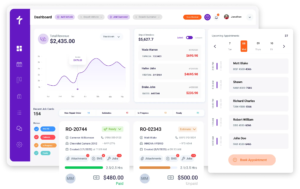
DVI is one part of a full shop management platform. Inspections, estimates, repair orders, and invoicing share one database: no duplicate entry, no separate logins.
appointment-booking-widget

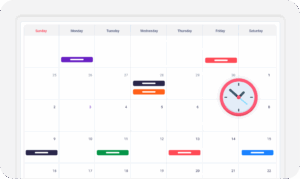
Book jobs, manage the calendar, reduce no-shows, and stay organized

digital vehicle inspection software

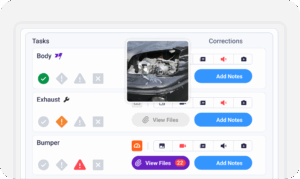
The full DVI workflow with photo, video, voice, and measurements

auto repair estimating software

Build quotes from inspection findings with labor, parts, and pricing

repair order software

Convert approved estimates into organized repair orders with job tracking

auto repair invoicing software

Generate invoices and accept TorquePay, PayPal

auto repair job board software

Track jobs, assign technicians, and monitor status in real time

DVI for Every Type of Repair Shop

Torque360 ships with templates and workflows designed for the way different shops actually inspect vehicles. Pick the closest fit and customize from there.

Mechanic Shop

Motorcycle Repair

Truck Repair

Oil Change

Tire Repair

Mobile Mechanics

How Shops Improve Approvals with Better Inspections

Real repair shops use Torque360 automotive digital inspection software to standardize inspections,
improve customer trust, and convert more findings into approved work.


“Torque360 changed everything for us. On long projects, nothing gets lost anymore. Labor, parts, approvals, it’s all there. Since using it, I haven’t lost a single cent.”

— Artur Pires, Co-Owner

75%

Missed Revenue Prevented

2x

Increase in Project Visibility

“Torque360 helped us bring everything into one place. Jobs, parts, and invoices are easier to manage, and the shop runs more smoothly day to day. It gives us the structure we needed.”

— Cauy Cuthbertson, Owner 

100%

Centralized Shop Workflows

3x

Boost in Operational Efficiency

“We were doing estimates and tracking jobs manually, and it caused delays and confusion. Now with digital estimates and invoicing, everything is faster and more organized.”

— Himel, Owner

50%

Faster Estimate & Job Processing

1.2x

Higher Customer Capacity

See What Others Think of Torque360!

Grow Revenue with Better Digital Inspections

Standardize inspections, build customer trust, and convert more findings into approved repairs, all on one connected platform.

  • Save 10+ hours weekly on inspection coordination

  • Increase approval response rates by up to 2x

  • Reduce missed inspection steps by 30%

Frequently Asked Questions

A digital vehicle inspection (DVI) is a paperless multi-point inspection performed on a tablet or phone. Technicians record vehicle condition, capture photos and videos, log measurements like tread depth and brake pad thickness, and send findings directly to customers for review. DVIs replace traditional paper checklists with structured vehicle inspection checklist software, visual reports that customers can view on their phone, and approve from anywhere, no app download required. Shops using DVIs typically see higher ARO, faster turnaround, and a clearer record of what was inspected on every vehicle.

Most DVI software is sold as a monthly subscription, typically ranging from $50 to $300+ per month, depending on shop size, number of users, and whether DVI is bundled with full shop management. Some vendors charge per-user fees or require custom quotes for full pricing. Torque360 plans start at $99.99/month with no setup fees, free data migration, and DVI included in every plan. There’s also a 10% discount on annual plans. For shops also looking for scheduling, estimates, repair orders, and invoicing in one platform, this typically replaces 2-4 separate tools.

A multi-point inspection (MPI) is the inspection itself, the standardized list of checks technicians perform on a vehicle. A digital vehicle inspection (DVI) is the digital tool used to perform an MPI on a tablet or phone, with photo and video capture, measurements, and customer-facing reports. In practice, the terms are often used interchangeably. “MPI” emphasizes the inspection process; “DVI” emphasizes the digital format. Most modern shops use DVI software to run MPIs on every vehicle that comes in.

A full multi-point inspection typically takes 15 to 25 minutes per vehicle once a shop is fully ramped on DVI software, depending on inspection depth and how much media is required. Quick courtesy checks can run in under 10 minutes. The biggest time savings come from voice notes instead of typing, template dropdowns instead of free text, and findings that flow into estimates without retyping. Most shops find DVIs are about the same speed as paper inspections in week one and noticeably faster within a month.

Digital inspections increase ARO by making repair recommendations easier to understand and trust. When a customer sees a photo of a worn brake pad, a video of a leaking gasket, or a low tread depth measurement, they’re more likely to approve the work than when an advisor describes it over the phone. Industry data consistently shows shops convert significantly more recommended work after switching from paper to digital. ARO also rises because DVIs surface issues that get skipped on rushed jobs, mandatory checks, and structured templates help shops document and follow up on everything found, including declined jobs that come back as approved revenue later.

Technician adoption depends as much on workflow design as on the software itself. Platforms that get used are the ones that don’t slow techs down, clear templates, have minimal taps per inspection, use voice notes instead of typing, and have obvious next steps when something is found. Torque360 is built around a guided flow with required tasks, status checks, quick media capture, and voice notes. Most shops see full technician adoption within two to four weeks when paired with a short kickoff training and clear expectations from digital vehicle inspection management.

Yes. Torque360 sends completed inspection reports via text message or email with a link to view photos, videos, technician notes, and recommended repairs. Customers review findings on their phone and approve work without a phone call. No app download is required on the customer side. This matters because text-based approval moves faster than voice approval. Shops report fewer missed calls, less back-and-forth, and quicker decisions on declined work.

Yes, in most cases. The break-even math is straightforward: if a small shop performs 10 inspections a day and a DVI helps sell just one extra $200 repair per week, that’s roughly $10,000 of additional annual revenue, well above the cost of most DVI subscriptions. Beyond ARO, small shops gain consistency (every tech runs the same inspection), customer trust (visible proof of issues), and a clean record of declined jobs to follow up on. Torque360’s Starter plan is designed specifically for small and independent shops getting started with digital workflows.

Yes. Torque360 works on any iOS or Android phone or tablet, no special hardware required. Most shops use tablets in the bay because they’re easier to handle while inspecting a vehicle, but technicians can complete inspections from a phone when needed (especially useful for mobile mechanics). The customer-facing report works on any browser, on any phone, with no app download required.

High-volume shops need digital inspection tools that keep vehicles moving while maintaining consistency across every technician. Look for reusable templates, fast workflows, required checks, mobile access, and customer approvals through text or email. Strong reporting and estimate integration also matter when volume increases. Torque360 helps busy repair shops standardize inspections, reduce missed steps, speed approvals, and turn findings into estimates without slowing down daily operations or creating extra admin work for advisors.

The best auto repair software connects inspections directly to estimates so approved work can move forward quickly. Look for systems that convert findings into recommended jobs, labor lines, and parts pricing without duplicate entry. This saves advisors time and improves consistency between technicians and the front desk. Torque360 links digital inspections with estimates, repair orders, and invoicing in one connected workflow built for modern repair shops and growing service teams.

Leading digital vehicle inspection software should work smoothly on phones and tablets for technicians, advisors, and customers. Shops need mobile inspections in the bay, on the road, or at customer locations without sacrificing speed or usability. Customers also need easy, mobile-friendly reports they can review anywhere. Torque360 supports mobile workflows for technicians and customer approvals with no app download required, helping shops move faster and communicate more clearly every day.

Look for digital inspection software that allows technicians to capture clear photos, videos, notes, and measurable findings during inspections. Strong visual documentation helps customers understand recommended repairs faster and builds trust in the recommendation. The best systems make sharing reports simple on any device. Torque360 combines image, video, technician notes, and structured findings into shareable inspection reports that customers can review on their phone and approve quickly when ready.

Trusted digital inspection tools improve upselling by making repair recommendations easier for customers to understand and approve. Photos, videos, condition statuses, measurements, and clear pricing show why additional work is needed. This creates confidence instead of pressure during the sales process. Torque360 helps repair shops convert more findings into approved repairs through structured inspections, better communication, and saved declined work that can be followed up later for future revenue.

Reliable digital vehicle inspection systems improve transparency by showing customers exactly what was found during the inspection. Look for software with photos, videos, technician notes, color-coded inspection priorities, and easy-to-read reports that explain urgency clearly. Transparency builds trust and reduces hesitation on recommended work. Torque360 helps repair shops present clear inspection results that customers can review anytime from their phone, making approvals faster and communication more straightforward for everyone involved.

Leading auto shop platforms combine inspections, estimates, repair orders, invoicing, payments, and scheduling in one connected system. This reduces duplicate entries, improves team coordination, and keeps the customer experience smoother from start to finish. Shops often benefit most when operations run from a single database instead of separate tools. Torque360 gives repair businesses one platform to manage digital inspections, invoicing, and daily workflow, together with greater efficiency.

Choose auto shop management software that includes inspections, estimates, repair orders, invoicing, payments, and customer communication in one place. The right platform should help your team work faster while improving approvals, consistency, and shop visibility. Avoid disconnected tools that create extra admin work or duplicate entries. Torque360 is built for growing repair shops that want digital inspections included within a complete shop management system for daily operations.